

Frequently Asked Questions
You’ve asked, and I’ve answered!
Have Questions?
Each month you’ll receive a new one-hour mini-prep and step-by-step video to prep along with! We will be adding other resources, recipes, and challenges to the Facebook community, but these will be released as they become ready and not on a monthly basis.
These recipes are really diverse and not all Instant Pot by any means! Any of them that are Instant Pot also include Crock Pot instructions.
As always every recipe will provide dairy and gluten alternatives in each recipe. Currently, we have no recipes that include peanuts. As a food allergy mama myself I know how hard it is to find meals that fit all the restrictions that come along with that lifestyle. I always try to help people tweak recipes to fit their needs! You can reach out on our Facebook group or email support@freezerprepfriends.com and we will help you as much as we can!
Freezer Prep Friends is a separate product with new recipes so it is not included with any previous purchases.
You can purchase each of the mini-guides individually and get access to the live prep along a month after its original release inside of Freezer Prep Friends. This purchase will not include access to the Freezer Prep Friends membership perks like the recipe index, magic meal prep portal, resource library, and community.
To cancel your membership you’ll need to go to ‘Account” and then under the “Subscriptions” tab on the right side of the box shown, there is an option to cancel.
Since we now have the magic meal prep portal we are no longer updating the recipe index and collections on the site. Instead, all new recipes can be found in the magic meal prep portal.
You can still access both here:
Magic Meal Prep Portal
Your login for the Magic Meal Prep Portal is the same email and password set for your Freezer Prep Friends account.
To make your meal plan/freezer prep guide you go to the side menu and select “Meal Plans”. Once you are in this section you can click the “create plan” and select from breakfast, lunch, and dinner to search and select your recipes. Once you have added all of your recipes to your plan you can select the “prep notes” button to access the generated step-by-step plan.
With the Magic Meal Prep Portal, you will need to add the recipe twice to double the grocery list. Once the recipe is added to your step-by-step meal plan you can follow the instructions to add to both bags (if you choose to double the recipe) like we do in our guides!
You can also use the Magic Prep Portal plan to create grocery lists for weekly or monthly meal plans.
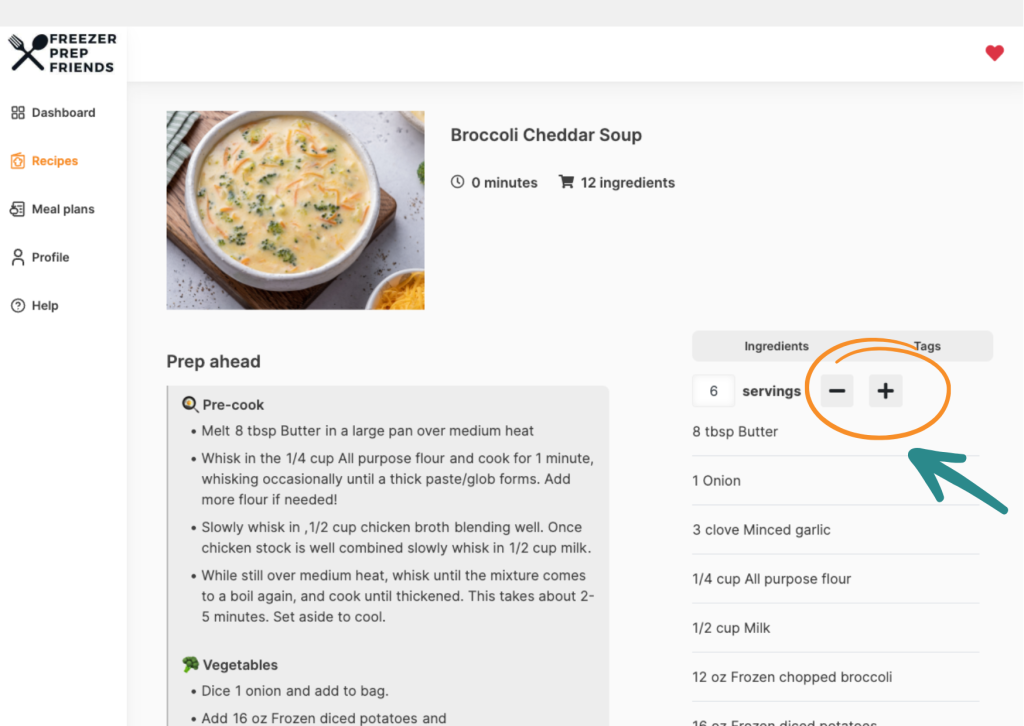
If you click on the recipe you can use the plus and minus buttons to adjust the servings for the recipe.
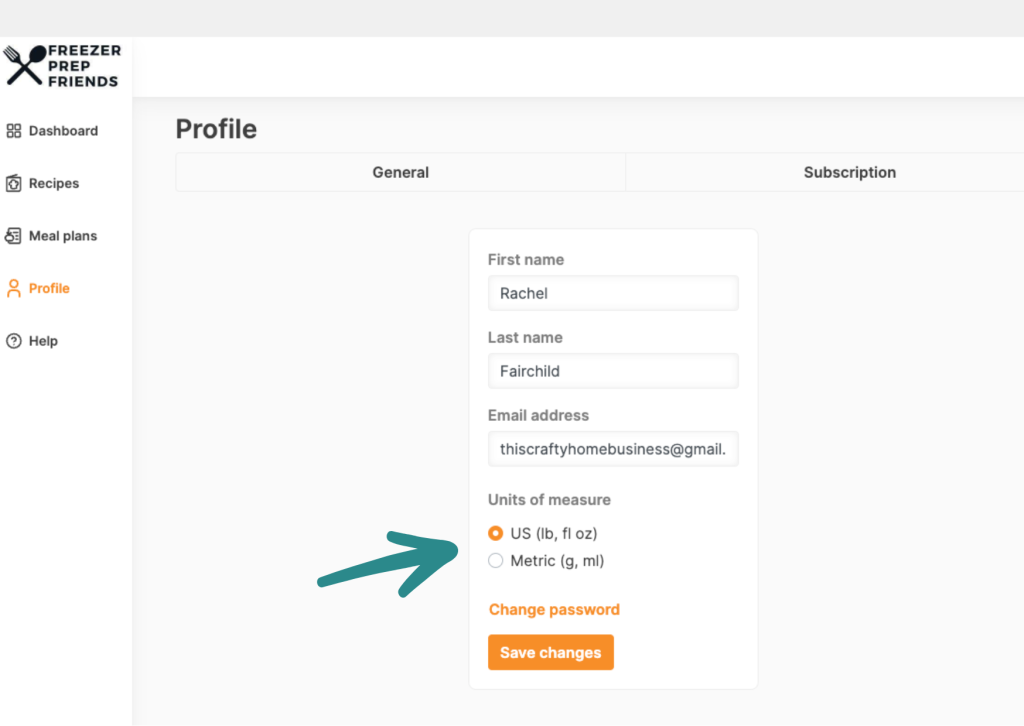
You can change the units of measurement by going to your profile and selecting US or Metric.
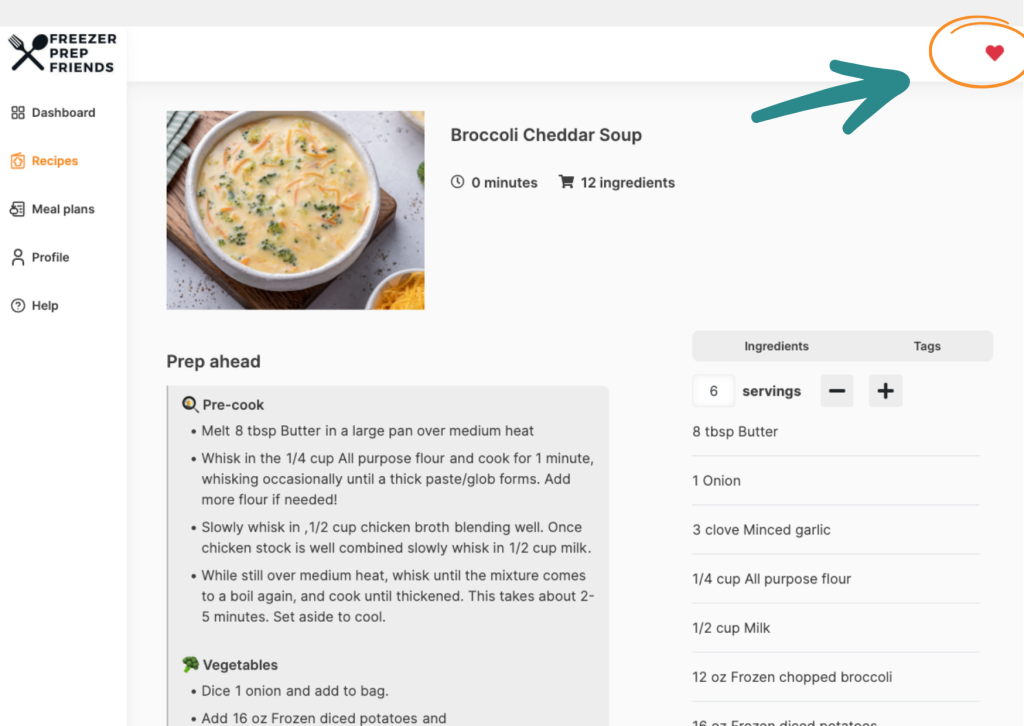
You can favorite a recipe by selecting the heart in the top right-hand corner of the recipe listing.
The grocery list will include the not-in-bag ingredients and amounts but does not indicate or highlight them in red as our guides do. You will need to highlight or make note of the not-in-bag ingredients if you are concerned about certain ingredients expiring before you cook the meal.
The grocery list will also include all optional toppings! You will see a 0 as the set amount for them or the space will be blank. This is so you know it’s optional and can add however much your family wants/needs of the ingredient.